MarTech And The Local Business
As a business owner, it’s important to stay up-to-date on the latest marketing technology (MarTech) and how it can benefit your business. In this post, I want to talk about the benefits of improving your MarTech stack, specifically for local businesses.
First, let’s define MarTech. Simply put, it refers to the various tools and software that businesses use to improve their marketing efforts. This can include everything from email marketing platforms and social media management tools to analytics software and CRM systems.
So, what are the benefits of improving your MarTech stack as a local business? One of the biggest benefits is the ability to better target and personalize your marketing efforts. With the right MarTech tools, you can segment your audience and tailor your messaging and marketing campaigns to specific segments. This can lead to higher conversion rates and more customer loyalty.
Another benefit of improving your MarTech stack is the ability to better track and measure the effectiveness of your marketing efforts. With the right analytics tools, you can get a better understanding of what’s working and what’s not, and adjust your strategy accordingly. This can help you save time and money by focusing on the marketing channels and tactics that are delivering the best results.
Another benefit of MarTech is the ability to automate certain marketing tasks, freeing up time and resources for more high-level strategy and creative work. This can be especially beneficial for small businesses that may not have the same resources as larger companies.
In addition, MarTech can help local businesses better connect with and engage with their customers. With tools like social media management and review management, you can more easily respond to customer inquiries and feedback, which can lead to improved customer satisfaction and loyalty.
So, how can you start improving your MarTech stack as a local business? The first step is to assess your current marketing technology and see what’s working and what’s not. This can help you identify any gaps in your stack and areas where you can improve.
Next, do your research and consider the various MarTech options that are available. There are many tools and platforms out there, so it’s important to choose the ones that are the best fit for your business and your marketing goals.
Finally, don’t be afraid to test out new MarTech tools and see how they work for your business. The beauty of MarTech is that it’s constantly evolving, so there are always new tools and platforms to try out. Just make sure to track your results and see what’s working and what’s not. We offer Marketing Technology consulting and implementation for local brands here at Rainmaker Reputation AI CRM.
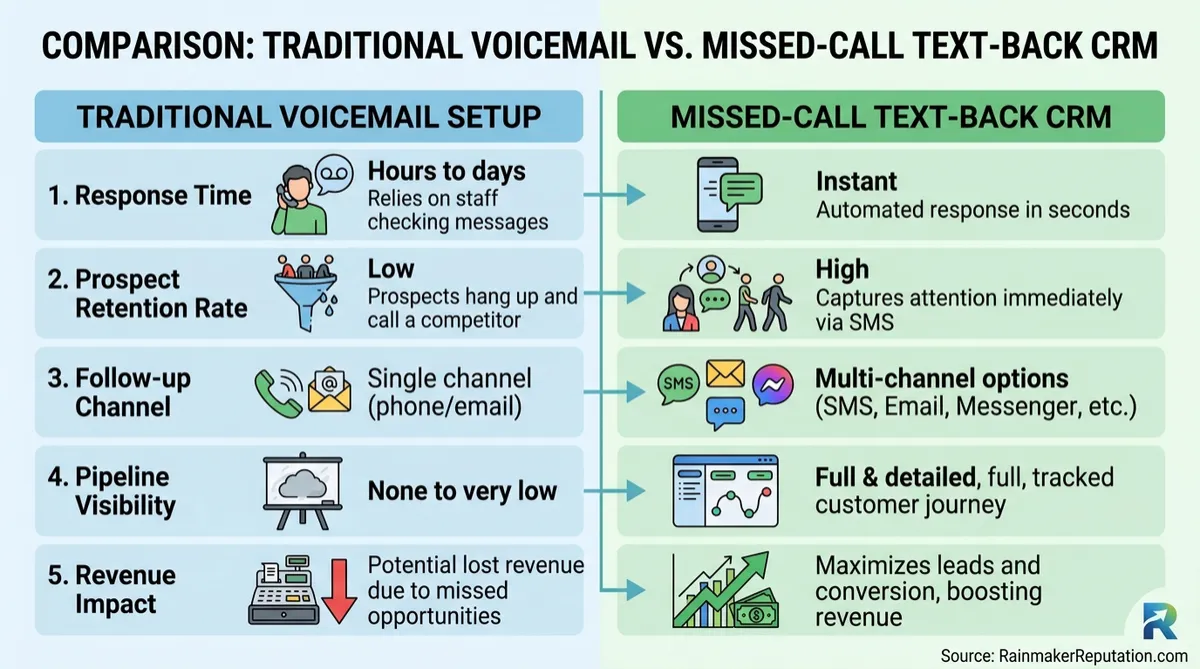
The benefits of call tracking inbound calls and how it can benefit your business.
First, let’s define call tracking. Simply put, it’s the process of using a unique phone number or tracking code to identify the source of inbound calls to your business. This can include calls from your website, calls from online directories or listings, and calls from ads or other marketing efforts.
So, what are the benefits of call tracking inbound calls for a local business? One of the biggest benefits is the ability to track the ROI of your marketing efforts. With call tracking, you can see which marketing channels and tactics are driving the most calls and revenue for your business. This can help you understand what’s working and what’s not, and adjust your strategy accordingly.
Another benefit of call tracking is the ability to better understand your customers and their needs. By tracking the calls that come in to your business, you can get a better understanding of what your customers are looking for and how they found your business. This can help you tailor your marketing efforts and better meet the needs of your customers.
In addition, call tracking can help you identify opportunities for improvement in your customer service. By tracking calls and analyzing the call data, you can identify patterns and trends that may indicate areas for improvement in your customer service. This can help you better serve your customers and build their loyalty to your business.
So, how can you start using call tracking for your local business? The first step is to choose a call tracking platform that meets the needs of your business. There are many options available, so it’s important to do your research and choose a platform that fits your budget and provides the features you need. We offer a platform that can handle all your call tracking and call attribution needs. It’s just one of the many benefits offered in the entire suite.
By the way… did you know Google Business Profiles, offered by Google, now allow for Call Tracking from any local business’s Google Business Profile. It’s THAT important. We can help you with this important new feature if you have not enabled it yet. Reach out to us via our Webchat.
Next, set up your call tracking system and start tracking your calls. This will typically involve creating unique phone numbers or tracking codes for different marketing channels or campaigns. Make sure to track as much data as possible, including the source of the call, the duration of the call, and any notes about the call.
Finally, analyze the data you collect and use it to inform your marketing strategy. Look for patterns and trends that can help you better understand your customers and optimize your marketing efforts.
In conclusion, call tracking inbound calls can be a valuable tool for local businesses looking to track the effectiveness of their marketing efforts and better understand their customers. By choosing the right call tracking platform, setting up your system, and analyzing the data you collect, you can drive better results for your business and build customer loyalty. So, it is a great tool to have in your marketing stack.
In conclusion,
improving your MarTech stack as a local business can have a number of benefits, including better targeting and personalization, improved tracking and measurement, automation of certain marketing tasks, and better engagement with customers. By assessing your current stack, doing your research, and being willing to test out new tools, you can take your marketing efforts to the next level and drive better results for your business.
Calendar Booking Forms (2026) — Rainmaker Reputation
Calendar Booking Forms: Same Intake, Whether They Book Online or Call You
Here's what nobody in your industry will tell you: most service businesses do not have a booking problem. They have an intake problem. We've just added calendar booking forms to Rainmaker Reputation CRM, so your staff can attach and complete the same intake form when they create a service or rental booking by phone that a customer would get booking online.
What are calendar booking forms for internal bookings?
Calendar booking forms for internal bookings are the calendar's configured intake form, now attachable inside the in-app booking modal for service and rental calendars. Your team selects a contact, attaches the form, and completes it on the customer's behalf before saving the booking.
The form prefills what you already know — first name, last name, email, and phone. It also hides CAPTCHA and payment fields for internal staff use, because your front desk is not a checkout page. The result is one standard intake inside your marketing technology for local business, not two different records depending on how the appointment arrived.
Why does inconsistent intake cost you money?
It costs you because every missing answer becomes a follow-up call, a confused technician, or a job that starts blind. The old way forced three leaks on any business that takes bookings by phone:
- 1. Two standards. Online customers answered the intake questions. Phone customers did not — through no fault of theirs, or your staff's.
- 2. Re-asked questions. Your team chased details the calendar should have captured at booking, wasting the customer's patience and your staff's time.
- 3. Thin records. A booking with no intake behind it is a name and a time slot. That is not preparation. That is hope, scheduled.
A booking without intake is just a time slot with a stranger's name on it. Systems over people, period. The winners standardize the intake, then let good people work from complete information.
How is this different from a regular lead form?
It is different because this form lives at the moment of booking, attached to that specific service or rental appointment. A standalone lead generation form captures interest. This captures what your team needs to deliver the service the customer just booked.
That distinction matters for your marketing automation too: complete intake at booking means the reminders, preparation messages, and follow-up that run afterward start from real answers, not blanks.
Who is this best for — and who should skip it?
Best for: service-based businesses — clinics, home services, rentals, salons, repair shops — where staff regularly book appointments for customers who call, walk in, or message instead of booking online. If half your bookings bypass your online page, half your intake was missing. Now it is not.
NOT for: a business where every booking already comes through the online calendar and nobody books by phone — your intake is already consistent. The trade-off: staff complete the form on the customer's behalf, so accuracy still depends on the conversation. Ask the questions on the call. Do not guess the answers after it. Check our frequently asked questions if you are weighing how bookings and forms fit together.
How do you set it up on Monday morning?
- Open the in-app booking modal for a service or rental booking and select the contact.
- Go to the Booking form section and click Attach form.
- Select the desired form if the preselected form needs changing.
- Complete the form on the customer's behalf — known contact details are already prefilled — and save the booking.
- Make it the house rule: no internal service or rental booking is saved without its intake form attached. No exceptions.
Your challenge: this week, book one real appointment by phone using the attached form, start to finish. Then look at the record your team gets to work from — and ask why you ever accepted the blank version.
P.S. Consistency is not bureaucracy. Consistency is how a customer who calls gets the same prepared, professional experience as a customer who clicks. Same form. Same standard. Every booking.
FEATURES
Social Media Management
AI Agents
Search Optimization A.I. Agent
Review Collecting Systems
Forms & Surveys
Online Appointment Booking
Membership & Course Builder
Automated Nurture Sequence
Email & SMS
Phone System & Autodialer
Learn More

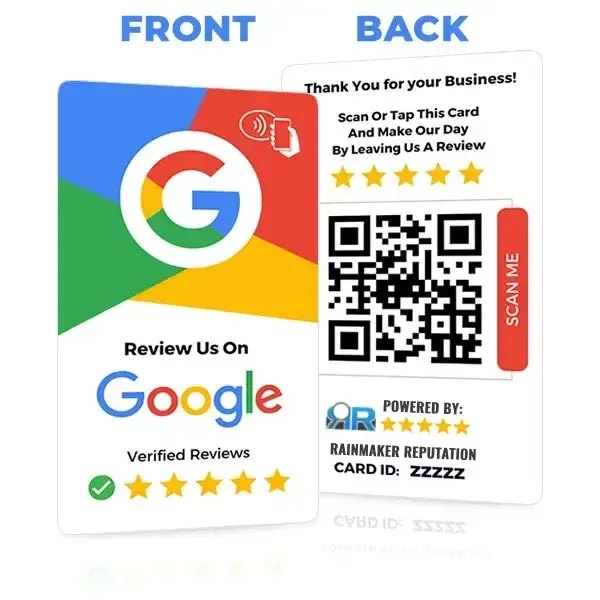


Rainmaker Reputation AI CRM is a CRM & AI Automation suite that helps Local Brands, Business Coaches & Content Creators solve the problem of how to properly connect with prospects & customers in order to build profitable momentum & growth through getting their businesses more reviews, better reputations in their markets, & automated simplified CRM processes.