
HubSpot Alternative: Switch to Rainmaker Reputation
Keep the follow-up habits. Lose the bill that grows three ways at once.

HubSpot is well-built software. Nobody serious disputes that. The reason small businesses leave is rarely the software. It is the billing model: per seat, per contact tier, and per hub, all moving at the same time, plus a mandatory onboarding fee before you send your first email. This page is the honest comparison: what changes when you switch to Rainmaker Reputation, what each system actually costs, and who should stay right where they are.
MIGRATION GUIDE
What changes when you switch from HubSpot to Rainmaker Reputation
The starter-to-pro cliff goes away. HubSpot Marketing Hub Starter lists at $20 per seat per month, but real automation lives on Professional: $800 a month billed annually, or $890 a month billed monthly, with three seats included and each extra seat at $45 a month. The Rainmaker Reputation CRM is $297 a month, flat. One number. It does not move when your team grows.
Your list stops being a billing meter. Professional includes 2,000 marketing contacts. Grow past that and contacts come in blocks, $250 per 5,000 on Professional, and HubSpot's own pricing page states that a contact tier you select cannot be downgraded until your contract renews. Success gets billed immediately. A slow quarter gets billed too. We charge no per-contact fees and run no contact tiers. The list is the asset. Grow it without watching a meter.
A human helps you move, and it is included. HubSpot charges a required one-time onboarding fee of $3,000 on Professional and $7,000 on Enterprise. We run two onboardings with every CRM account: a technical onboarding, where we help you connect everything to the CRM (and that is a lot), and a strategic onboarding, where we help you deploy your automation goals and plan the first 30 days so you move in the right direction as fast as possible. Behind both sits 24/7 live human support, including video how-to walkthroughs when your team gets stuck on a "how do I" question.
What does each one cost a five-person team?
HubSpot figures are Marketing Hub list prices checked November 25, 2026.
| HubSpot | Rainmaker Reputation | |
|---|---|---|
| Monthly cost, 5-person team | $100/mo on Starter (5 seats at $20, automation capped) or $890/mo on Professional at the annual rate ($800 base + 2 extra seats) | $297/mo flat, whole team included |
| Per-seat charges | Yes. $20/seat on Starter list price; extra Professional seats $45/mo each | None. Add team members at no extra charge |
| Contact charges | Billed by marketing contact tier; extra contacts sold in blocks; a selected tier cannot be downgraded until renewal | No contact tiers and no per-contact charges |
| Onboarding | Required one-time fee: $3,000 Professional, $7,000 Enterprise (Marketing Hub) | Two onboardings included: a technical setup and a strategic session that maps your first 30 days |
| Support | Channels expand by tier; phone support starts at Professional | 24/7 live human support, including video how-to walkthroughs |
| Review collection | Not a built-in plan feature; typically handled through third-party integrations | Built in. ReputationGenius automates review requests so you earn real reviews from real customers |
| Email and SMS automation | Email automation capped by tier: 1 automated action on Free, up to 10 on Starter, full automation on Professional. SMS is not part of the base plans | Email and SMS automation included |
| Social planning | Professional tier and up. Not offered on Free or Starter | Available through Social Planner, $49/mo |
| Booking | Included. The meetings tool is available even on free plans | Included |
Where your HubSpot stuff lives in Rainmaker Reputation
| In HubSpot | In Rainmaker Reputation |
|---|---|
| Contacts and lists | CRM contacts with smart lists |
| Deals and pipelines | Opportunities and pipelines |
| Workflows | Workflows and automations |
| Marketing email | Email and SMS campaigns |
| Landing pages and CTAs | Websites and funnels |
| Meeting links | Calendars and online booking |
| Conversations inbox | One inbox for SMS, email, chat, and social |
Your HubSpot switching checklist
Here is what you bring over. Anything that imports cleanly, we import. Anything that needs rebuilding, we rebuild with you in your onboarding sessions.
- Contacts and tags, via CSV import
- Pipelines and deals
- Email templates and campaigns
- Forms
- Landing pages
- Calendars
How the switch works
- Export from HubSpot. Contacts, tags, pipelines, and templates come out first. We show you exactly what to export and where each piece lands.
- Technical onboarding. We help you connect everything to the CRM: pipelines, calendars, email and SMS, websites and funnels.
- Strategic onboarding, then go live. We rebuild your follow-up, set your review collection running, and plan the first 30 days. Support stays live around the clock while you settle in.
Most owners are fully moved within their first week or two, because the two onboarding sessions are booked up front and the checklist above is short. Your data stays yours throughout.
Who should stay on HubSpot, and who should switch
HubSpot is best for companies with a dedicated marketing team, a budget for Professional or Enterprise, and a real need for its enormous app ecosystem (HubSpot advertises 2,000+ integrations) and enterprise-grade reporting, attribution, and customer journey analytics. If you have an operations person whose job includes running the CRM, HubSpot rewards that investment. And if all you need is a free place to store contacts, HubSpot's free tier is genuinely good. Use it until you outgrow it.
HubSpot is NOT for a small team that wants one predictable bill. It is not for a business whose contact list grows in bursts, because contact tiers bill the burst and refuse to give it back until renewal. And it is not for anyone who needs full automation on a Starter budget, because the features are gated a full tier above the price that got your attention.
Rainmaker Reputation is best for local businesses, consultants, and creators whose CRM has one job: turn interest into booked appointments, and booked appointments into reviews, referrals, and repeat customers. If speed to lead, automated follow-up, and owning your reputation are the priorities, that is exactly the system we run.
Rainmaker Reputation is NOT for a company that wants to buy software the enterprise way: per seat, per hub, negotiated tier by tier, with a procurement cycle and an admin whose job is running the tool. That is a different way of buying, and HubSpot is built for it. We sell one system at one flat price, built for the owner who wants it running this week, not next quarter. And we will tell you plainly: there is no free tier. The price is the price from day one, $297 a month, and in exchange the meter never runs on your seats, your contacts, or your growth.
Ready to leave HubSpot behind?
Run the five-year math, not the first-month math. A $297 flat rate costs $3,564 a year, every year. A Professional plan with five seats costs $10,680 a year before the $3,000 onboarding fee and before your contact list grows. Software should get easier to own as it proves itself, not more expensive. See current pricing or book a walkthrough, and we will map your first 30 days before you pay a dollar.
Frequently asked questions
Will I lose anything when I switch from HubSpot?
No. Your contacts and tags, pipelines and deals, email templates and campaigns, forms, landing pages, and calendars all have a home here. Most of it imports directly by CSV. Anything that needs rebuilding instead of importing, we walk through with you during your onboarding sessions.
How long does switching take?
Most owners complete the move in their first week or two. The two onboarding sessions are scheduled up front, and 24/7 live support is there whenever you get stuck.
What does switching cost?
There is no separate switching fee and no onboarding fee. Both onboardings are part of the CRM at $297 a month flat. Optional add-ons are priced just as plainly: an AI Voice Assistant runs $147 to $497 depending on the business, Social Planner is $49 a month, and ReputationGenius NFC Cards start at $27.
Does HubSpot charge per contact?
Yes. Marketing Hub bills by marketing contact tier. Professional includes 2,000 marketing contacts, additional contacts are sold in blocks, and HubSpot states you cannot downgrade your tier until your contract renews.
Does Rainmaker Reputation charge per seat?
No. The CRM is $297 a month flat, and adding team members does not change the price.
Is HubSpot free?
Yes. There is a free tier for up to 2 people with basic CRM tools and 2,000 email sends a month, with HubSpot branding on your emails and chat. Real automation starts on the paid tiers.
P.S. If you are in a HubSpot contract right now, check your renewal date and your contact tier today, not the week it renews. The downgrade window is the whole game, and it closes quietly.
HubSpot is a trademark of HubSpot, Inc. This comparison reflects publicly available pricing and plan information checked on November 25, 2026. Details may change, so verify current pricing on each vendor's site before you buy.
NEW! Introducing AI Assistant
Virtual Receptionist
Spam / Solicitor Screener
Conversational AI Texting
Appointment Booking
After Hour Answering Service
Real Time Notifications
Call Recording & Transcriptions
Onboarding & 24/7 Support
What Can Our AI Assistant Do For You?
Maximize YOUR Opportunities!

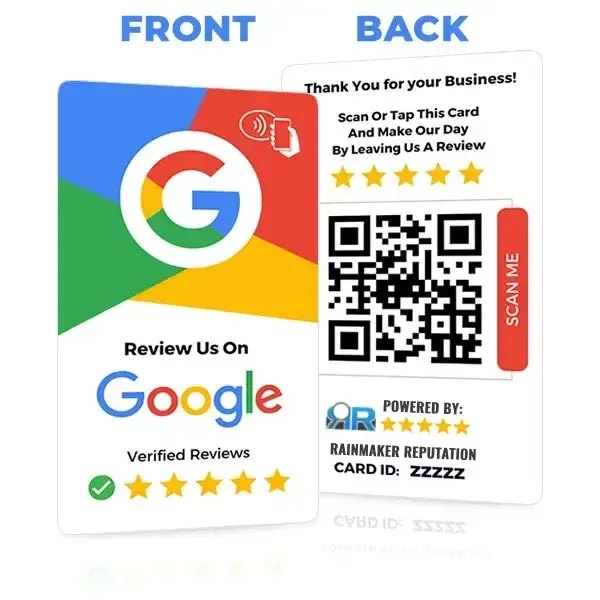
NEW! ReputationGenius Cards Are Here!

Our Reputation Review Cards Make It So Easy To Finally Get More Honest 5 Star Reviews...
Just Tap Their Phone And BEWM!

Let's hop on a call!
We will help you identify the trouble areas and
those quick & achievable wins in your business. Let's strategize and get you to
where you need to be.
This is a 100% free, no-pressure call! We will provide you with our best advice whether you
choose to work with us or not.

or
See What Our Clients Say
The Rainmaker's Edge Perspective: Gets Your Business Operations More Automation, AI, and other productivity gains with every episode
Use our convenient Review Calculator to answer these questions...

"How many more 5 star reviews do I need to climb out of my current score?"
"If I increase my score what will that do for my business?"
"How do I increase my review score?"
New Features Every Week
Restaurant Coupons in 2026: 1 Code - Rainmaker Reputation
Restaurant Coupons in 2026: 1 Code - Rainmaker Reputation
Fair warning — this one ruffles feathers: most restaurant coupons fail before a single guest uses them. Not because the offer is weak. Because the code works in one place and dies in another.
We've just added restaurant coupons to our CRM that fix that. One code, created once, now works for online checkout on your Restaurant Website and for dine-in bills at the table in the point of sale. Same code. Same discount. No apologies at the register.
What are restaurant coupons in Rainmaker Reputation CRM?
Restaurant coupons are percentage or fixed-amount coupon codes you create once and accept in both ordering channels. Guests enter the code during Restaurant Website checkout, and your staff apply the exact same code to a table payment in the point of sale system.
That makes one unified campaign possible — a first-order offer online, a win-back discount in the dining room, one code instead of two systems. A coupon is an old, proven direct-response tool; the crime was never the coupon, it was the friction. Practical marketing technology for local business removes an excuse not to buy.
How do restaurant coupons work online and in the dining room?
Online, guests apply the code at checkout. If a 100% coupon is applied, the payment step is automatically bypassed — no fake charge, no confused guest, no abandoned order.
In the dining room, front-of-house staff apply an active Commerce coupon to an open table before running the customer's credit card. The amount due drops first, then the card is charged. In that order. Always.
Here is the honest comparison:
| Channel | Before | Now |
|---|---|---|
| Online checkout | No native code, or a separate workaround | Guest enters the code at checkout |
| Dine-in bill | Manager discount, explained and argued at the table | Staff apply the same code before payment |
A promotion your staff has to explain is a promotion that is already dying.
Who should use restaurant coupons — and who should not?
Best for: restaurant owners running a first-order offer to pull new guests in, or a win-back discount to bring lapsed guests back, across online ordering and dine-in at the same time. Ask that returning guest for a review afterward — how to get more Google reviews for your business profile shows why that second step compounds.
NOT for: owners who discount because they have no other reason for a guest to choose them. A coupon amplifies an offer; it does not invent one. If your food and follow-up are weak, fix those first — discounting a weak offer just trains people to wait for the next discount.
The trade-off is real: you give margin to gain a guest. That math only works when the guest comes back at full price, which is why coupons belong inside a follow-up system, not pasted on as a panic button. Used that way, they support the same lead generation marketing discipline as any other offer: a reason to act now, tracked to a result.
How do you set up restaurant coupons on Monday morning?
- Go to Commerce, then Coupons, then Create Coupon, and set your code, discount type — percentage or fixed amount — and usage limits.
- Direct online guests to enter the code at checkout on your Restaurant Website.
- Open a table in Reservations, then Front of house, to apply the discount in person.
- Click Take payment, then Add coupon, to reduce the amount due before charging the customer.
- Pick one campaign — first-order or win-back — and run only that one until you can see its numbers clearly.
What should you do next?
Do not build five coupons. Build one. Give it a job — first order or win-back — a limit, and a deadline, then watch whether guests actually use it in both channels.
The restaurants that win with promotions are not the most generous. They are the most consistent: one offer, honored everywhere, no friction, no exceptions mumbled at the table. Set up your first code this week, or admit the discount you keep promising guests was never really on offer. Period.
FEATURES
Social Media Management
AI Agents
Search Optimization A.I. Agent
Review Collecting Systems
Forms & Surveys
Online Appointment Booking
Membership & Course Builder
Automated Nurture Sequence
Email & SMS
Phone System & Autodialer
Learn More
Compare:



Rainmaker Reputation AI CRM is a CRM & AI Automation suite that helps Local Brands, Business Coaches & Content Creators solve the problem of how to properly connect with prospects & customers in order to build profitable momentum & growth through getting their businesses more reviews, better reputations in their markets, & automated simplified CRM processes.